

IT managers in small to medium enterprises often juggle strategic initiatives alongside repetitive daily tasks that drain productivity. Manual processes like user provisioning, ticket routing, and system monitoring consume hours that could drive innovation. IT process automation can simplify these tasks, freeing your team to focus on strategic priorities without compromising performance or security. This guide walks you through a practical, step-by-step approach to implementing IT automation in your organization, covering task selection, execution, and verification for efficient operations that scale with your business.
Table of Contents
- Preparing Your IT Environment For Automation
- Step-By-Step Execution Of IT Automation In SMEs
- Common Challenges And How To Troubleshoot Automation Pitfalls
- Measuring Success And Scaling Your IT Automation Efforts
- Enhance Your IT Automation Journey With VIS Innovations
Key takeaways
| Point | Details |
|---|---|
| Automation boosts efficiency | Reducing manual workload allows IT teams to focus on strategic initiatives and innovation. |
| Start small for quick wins | Beginning with simple, repetitive tasks accelerates adoption and builds momentum across the organization. |
| Orchestration enhances workflows | Coordinating multiple automated tasks creates cohesive, end-to-end processes that deliver greater value. |
| Verification prevents scaling errors | Testing and monitoring ensure you don't amplify broken processes across your IT environment. |
Preparing your IT environment for automation
Successful automation starts long before you deploy any tools. You need to evaluate your current IT workflows to identify which processes are ripe for automation and which require human judgment. Look for repetitive, rule-based tasks that consume significant time but deliver predictable outcomes. Password resets, software deployments, backup verifications, and access requests are excellent candidates because they follow consistent patterns.
Addressing team readiness is equally critical. Cultural barriers, inefficient processes, and skill gaps cause many organizations to struggle with automation adoption. Your IT staff may fear job displacement or resist changes to familiar workflows. Combat this through transparent communication about how automation enhances their roles rather than replaces them. Invest in training programs that build technical skills in automation platforms and scripting languages. Partner with adoption and change management specialists who can guide your team through the transition with structured support.
Start by automating simple, repetitive tasks to build momentum and demonstrate value quickly. A single automated workflow that saves two hours per week generates immediate buy-in from skeptical team members. Choose processes with clear inputs, outputs, and minimal exceptions. User account creation, scheduled report generation, and log file analysis are ideal starting points because they require limited decision-making logic.
Ensure process stability before automation to avoid amplifying existing problems. If your manual process produces errors or requires frequent workarounds, fix these issues first. Automating a flawed process simply scales the mistakes faster and wider across your infrastructure. Document each step of your target process, identify pain points, and streamline the workflow before introducing automation tools.
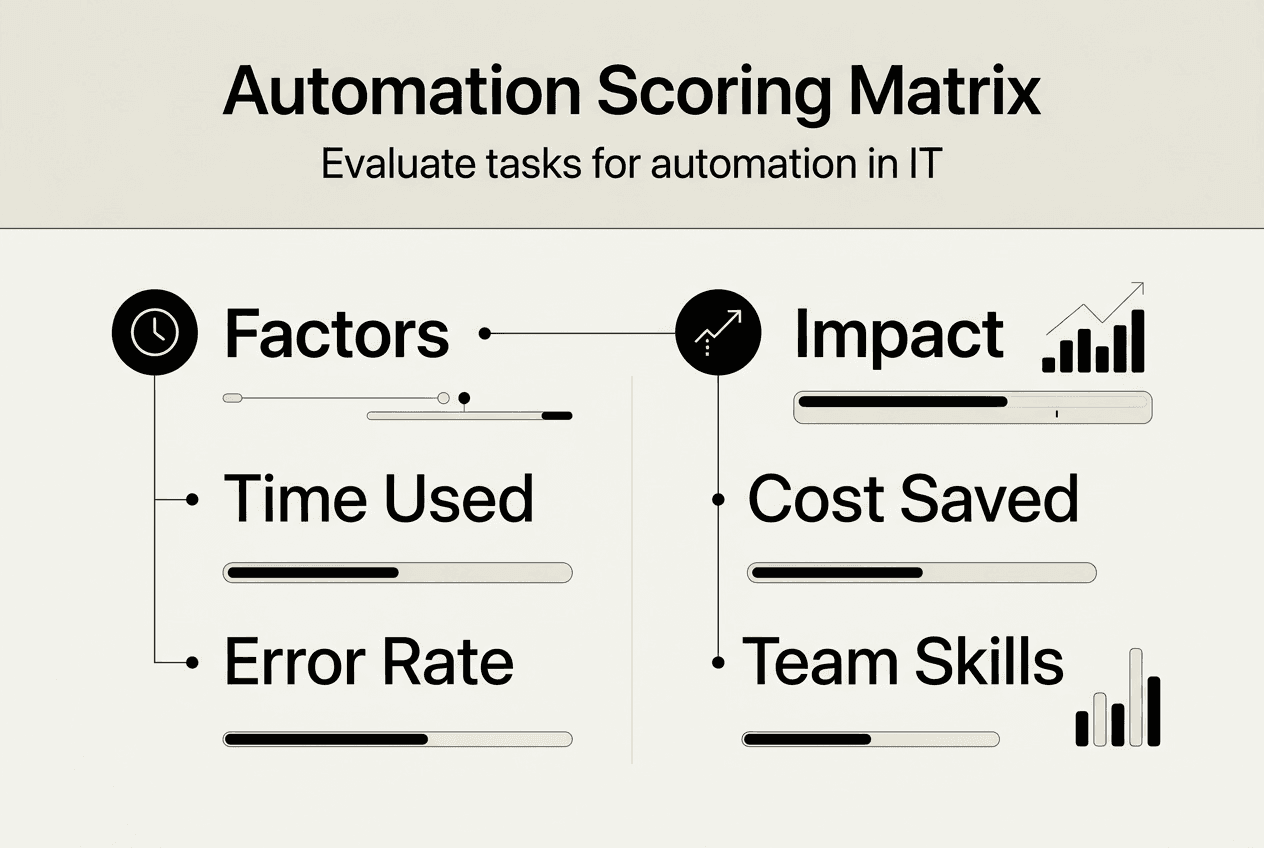
Pro Tip: Create a simple scoring matrix that rates potential automation candidates on factors like time consumption, error frequency, business impact, and technical complexity. This helps you prioritize projects that deliver maximum ROI with manageable implementation effort.
Step-by-step execution of IT automation in SMEs
Implementing automation requires a methodical approach that balances ambition with practical constraints. Follow these sequential steps to deploy automation effectively in your organization.
-
Identify repetitive and rule-based tasks amenable to automation. Robotic Process Automation is ideal for repetitive tasks like data entry, reducing administrative workload significantly. Survey your IT team to catalog daily activities that consume excessive time. Focus on processes that follow predictable patterns, have clear success criteria, and don't require complex judgment calls.
-
Choose suitable automation tools compatible with your existing systems. Evaluate platforms based on integration capabilities, learning curve, licensing costs, and vendor support. The table below compares popular options for SME environments.
| Tool | Best For | Integration Strength | Learning Curve |
|---|---|---|---|
| Power Automate | Microsoft 365 environments | Excellent with Microsoft stack | Low to moderate |
| n8n | Custom workflows and APIs | Strong with web services | Moderate |
| Zapier | Quick app integrations | Broad SaaS connectivity | Low |
| UiPath | Complex RPA scenarios | Enterprise applications | High |
-
Develop and test automation workflows incrementally. Build a minimum viable automation that handles the core process, then expand functionality based on real-world feedback. Use development and staging environments to validate logic before production deployment. Test edge cases, error conditions, and failure scenarios to ensure your automation degrades gracefully when unexpected inputs occur.
-
Deploy automation with monitoring and fallback plans. Implement logging that captures execution details, errors, and performance metrics. Configure alerts that notify your team when automations fail or produce anomalous results. Maintain manual procedures as backup options during the initial rollout period. n8n automation saved a small business over 20 hours weekly by automating lead management and alerts, demonstrating the tangible impact of well-executed automation projects.
Your choice of automation approach depends on your specific needs. Robotic process automation solutions excel at mimicking human interactions with existing applications, while workflow automation with Power Automate provides deep integration with Microsoft services that many SMEs already use. Consider your technical team's expertise, existing infrastructure investments, and long-term scalability requirements when selecting platforms.

Pro Tip: Document every automation with clear descriptions of triggers, actions, dependencies, and ownership. This knowledge base becomes invaluable when troubleshooting issues or onboarding new team members who need to understand your automation landscape.
Common challenges and how to troubleshoot automation pitfalls
Even well-planned automation projects encounter obstacles that can derail success or create new problems. Understanding common pitfalls helps you avoid costly mistakes and maintain reliable operations.
Highlight risks of automating faulty or inefficient processes. If a process is broken manually, automation makes it broken at scale. This fundamental principle means you must validate and optimize workflows before introducing automation. A manual process that fails once per week becomes an automated process that fails dozens of times daily, amplifying the negative impact exponentially.
Stress the importance of ongoing maintenance and monitoring. Automations aren't set-and-forget solutions. APIs change, systems update, business requirements evolve, and external dependencies shift. Schedule regular reviews of your automation portfolio to identify degraded performance, outdated logic, or processes that no longer align with business needs. Assuming automation is maintenance-free is one of the most expensive mistakes businesses make, leading to silent failures that corrupt data or disrupt operations.
Discuss common errors like underestimating scope and missing governance:
- Starting with overly complex processes that require extensive exception handling and decision logic
- Failing to establish ownership and accountability for automation maintenance and updates
- Neglecting security considerations like credential management, access controls, and audit trails
- Implementing automations without stakeholder buy-in, leading to resistance and workarounds
- Ignoring the cumulative resource consumption of multiple automations running simultaneously
"Assuming automation is maintenance-free is one of the most expensive mistakes businesses make. Automations require ongoing monitoring, updates, and optimization to deliver sustained value without introducing new risks."
Address automation adoption challenges proactively by involving end users in design decisions, providing comprehensive training, and celebrating early wins that demonstrate tangible benefits. When team members understand how automation improves their daily work rather than threatening their roles, adoption accelerates naturally.
Establish clear escalation paths for automation failures. Your team needs to know who responds when an automation breaks, what diagnostic information to collect, and how to activate manual fallback procedures. Create runbooks that document troubleshooting steps for each critical automation, reducing resolution time and preventing knowledge silos.
Measuring success and scaling your IT automation efforts
Verifying automation results and expanding your program requires disciplined measurement and strategic planning. Define key performance indicators that align with your business objectives and IT strategy.
Track metrics like time saved, error reduction, and cost efficiency to quantify automation value. Calculate hours reclaimed by comparing manual process duration against automated execution time. Monitor error rates before and after automation to demonstrate quality improvements. Document cost savings from reduced overtime, faster service delivery, and eliminated manual data entry. By automating 223 processes, the City of Denver saved over $4 million and thousands of work hours, illustrating the substantial ROI achievable through systematic automation.
Use orchestration to unify multiple automated tasks for end-to-end processes. IT orchestration coordinates multiple automated tasks into cohesive workflows that span systems and departments. While individual automations optimize specific tasks, orchestration creates seamless processes that eliminate handoffs and reduce cycle times. For example, employee onboarding orchestration might trigger account creation, license assignment, access provisioning, and welcome communications as a single coordinated workflow.
Compare approaches when planning your scaling strategy:
| Approach | Scope | Complexity | Best For |
|---|---|---|---|
| Task Automation | Single repetitive activity | Low | Quick wins and simple processes |
| Workflow Automation | Multi-step process within one system | Moderate | Department-specific improvements |
| Orchestration | Cross-system end-to-end process | High | Enterprise-wide transformation |
Expand automation coverage systematically by identifying adjacent processes that share similar characteristics with your successful implementations. If you automated password resets effectively, consider automating account unlocks, permission requests, and access reviews using similar techniques. This incremental approach builds expertise while managing risk.
Leverage IT operations automation services to accelerate scaling without overwhelming your internal team. External specialists bring proven methodologies, best practices, and technical expertise that compress implementation timelines. They can also introduce low-code automation platforms that empower business users to create automations without deep programming knowledge, democratizing automation across your organization.
Pro Tip: Implement iterative improvement cycles that continuously optimize existing automations based on performance data and user feedback. Schedule quarterly reviews to identify enhancement opportunities, eliminate redundant steps, and incorporate lessons learned from recent implementations.
Enhance your IT automation journey with VIS Innovations
Transforming your IT operations through automation requires both strategic vision and technical execution expertise. VIS Innovations offers specialized Power Automate services and robotic process automation solutions designed specifically for small to medium enterprises navigating digital transformation. Our team helps you identify high-value automation opportunities, implement workflows that integrate seamlessly with your existing systems, and establish governance frameworks that ensure long-term success.
We understand the unique challenges SMEs face when adopting automation, from limited IT resources to competing priorities. Our IT operations services provide ongoing support that keeps your automations running smoothly while your team focuses on strategic initiatives. Whether you're taking your first steps toward automation or scaling an existing program, we deliver practical solutions that accelerate results and maximize ROI.
FAQ
What types of IT automation are best for small to medium enterprises?
Robotic Process Automation handles repetitive tasks like data entry and system monitoring. Digital Process Automation integrates workflows across applications for seamless information flow. Business Process Automation coordinates cross-departmental activities like employee onboarding. Intelligent Process Automation incorporates AI-driven decisions for complex scenarios requiring pattern recognition. Your choice depends on task complexity, existing infrastructure, and strategic objectives.
How do I ensure successful adoption of IT automation within my team?
Invest in comprehensive training programs that build technical skills and confidence with automation platforms. Promote a culture that views automation as an enhancement to human capabilities rather than a replacement. Communicate transparently about implementation plans, expected impacts, and support resources. Partner with automation change management specialists who provide structured guidance through the transition.
What are the common mistakes to avoid when implementing IT automation?
Never automate flawed processes without fixing underlying issues first, as automation amplifies existing problems at scale. Plan for ongoing maintenance and monitoring rather than treating automation as a one-time implementation. Avoid starting with overly complex processes that require extensive exception handling. Establish clear ownership and governance frameworks before deploying production automations. Assuming automation is maintenance-free is an expensive mistake that leads to silent failures and corrupted data.
How can I measure the return on investment of IT automation?
Track quantitative metrics like hours saved, error reduction percentages, cost savings, and productivity improvements using before-and-after comparisons. Calculate the value of time reclaimed by multiplying hours saved by average hourly labor costs. Monitor qualitative benefits like employee satisfaction, faster service delivery, and improved customer experience through surveys and feedback sessions. Document both tangible financial returns and strategic advantages like enhanced scalability and competitive positioning.